Direct Answer Summary
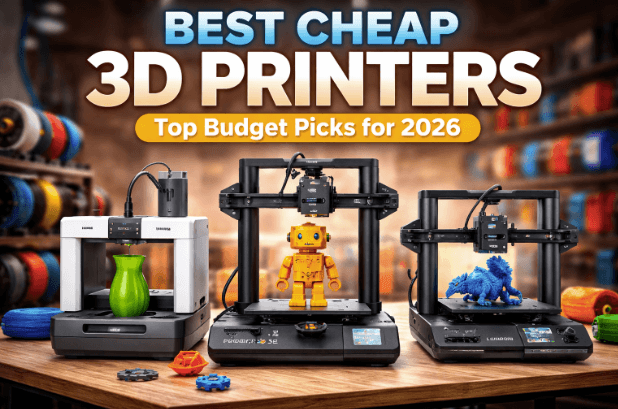
You can buy excellent cheap 3D printers for under $300. The best budget models offer auto bed leveling, Wi-Fi connectivity, and fast print speed. Top picks include the Bambu Lab A1 Mini and Creality Ender 3 V3 SE. These entry-level models provide great print quality for home users without massive investments.
Buying a 3D printer no longer requires a massive budget. A few years ago, budget models required constant tinkering and repairs. Today, cheap 3D printers offer incredible plug-and-play experiences right out of the box. Manufacturers pack the sub-$500 market with advanced features like Wi-Fi connectivity, auto bed leveling, and PEI Flexible Build Plates. You can create amazing projects at home without spending a fortune.
Key Takeaways
- Budget 3D printing now includes premium features out of the box.
- Auto bed leveling saves hours of manual setup time.
- FDM 3D printers work best for functional parts and large models.
- Resin printers excel at creating highly detailed tabletop miniatures.
Who This Is For
- Beginners wanting to learn basic 3D modeling and printing.
- Hobbyists looking for reliable home 3D printers.
- Makers needing affordable entry-level models to test STL files.
What Budget Means in 3D Printing
The sub-$500 market represents the sweet spot for budget shoppers. You get essential features without paying for premium extras.
Setting Realistic Expectations
You must understand the limits of entry-level models. Cheap machines might lack a carbon build enclosed print space. They might use Cartesian architecture instead of CoreXY motion systems. However, they still deliver excellent print quality for daily use.
Print Speed vs. Print Quality
Older machines forced you to choose between speed and quality. Modern budget printers use input shaping to reduce vibrations. This software feature allows fast print speed while maintaining sharp details.
Top Cheap 3D Printers to Buy
The market offers several fantastic options for budget-conscious buyers. I have tested many machines and found that a reliable heated print bed makes a massive difference in print success.
Bambu Lab A1 Mini
Bambu Lab completely changed the entry-level market. The A1 Mini offers a flawless open ecosystem experience. It works perfectly with Bambu Studio and Orca Slicer. You get excellent print speed and an intuitive LCD display.
Creality Ender 3 V3 SE
Creality dominates the budget space. The Ender 3 V3 SE includes a CR Touch sensor for perfect auto bed leveling. This machine handles basic filament types like Prusament PLA with ease. It represents a massive upgrade over older Ender models.
Elegoo Neptune 4
The Elegoo Neptune 4 offers prosumer machines features at a budget price. It runs fast firmware and includes a sturdy PEI coated build plate. This printer provides a larger build volume for bigger projects.
Printer Comparison Table
| Printer Model | Price Range | Best Feature | Build Volume |
| Bambu Lab A1 Mini | Under $300 | Plug-and-play setup | 180 x 180 x 180 mm |
| Creality Ender 3 V3 SE | Under $250 | CR Touch leveling | 220 x 220 x 250 mm |
| Elegoo Neptune 4 | Under $300 | High print speed | 225 x 225 x 265 mm |
| FlashForge Adventurer 5M | Under $400 | Enclosed design | 220 x 220 x 220 mm |
Pros and Cons of Budget Printers
Pros
- Low initial investment cost for beginners.
- Massive community support for troubleshooting.
- Easy access to replacement parts and upgrades.
- Great software compatibility with Orca Slicer.
Cons
- Smaller build area compared to expensive models.
- Manual filament support removal takes time.
- Some models lack a fully enclosed print space.
- Upgrading components adds hidden costs later.
See also: Relax and Recharge: Secrets to a Balanced Lifestyle
Common Mistakes for Beginners
Beginners often make simple errors when starting their 3D printing journey. I ruined several PEI Flexible Build Plates before learning proper bed adhesion techniques.
First, people ignore basic maintenance. You must clean your heated print bed with isopropyl alcohol regularly. Second, users buy cheap, wet filament. Moisture ruins print quality quickly. Always store your filament types in dry boxes. Finally, beginners often skip test models. Always print a basic calibration cube before attempting massive, multi-day prints.
Essential Upgrades for Beginners
You can improve your budget machine with a few simple additions.
Build Plate Upgrades
A PEI Flexible Build Plate is mandatory. It makes removing finished prints incredibly easy. You just bend the plate and the model pops off.
Nozzles and Hotends
Upgrading nozzles and hotends allows you to print abrasive materials. Hardened steel nozzles handle carbon fiber filaments perfectly. This small upgrade unlocks new filament types for your projects.
Frequently Asked Questions
Which is better for miniatures: FDM or resin printers?
Resin printers produce much higher detail for tabletop miniatures. FDM printers work better for larger structural parts. (124 chars)
Does auto bed leveling really matter?
Yes. Auto bed leveling saves time and ensures perfect first layers. It prevents failed prints and damaged nozzles. (117 chars)
What software do I need to slice STL files?
You need a slicer program like Orca Slicer or Bambu Studio. These free tools convert STL files into printable code. (119 chars)
Can I upgrade my budget 3D printer later?
Yes. Most budget machines allow upgrades like automatic filament changers, new nozzles, and Wi-Fi connectivity. (113 chars)
Final Thoughts on Cheap 3D Printers
Starting your 3D printing journey has never been easier or more affordable. You do not need a massive budget to create functional parts or beautiful models. By choosing reliable entry-level machines, you can focus on learning 3D modeling instead of fixing broken hardware. Pick one of the recommended cheap 3D printers, download some STL files, and start building your first project today.